The “Intersection” alert and “Where on the chart”
What it is
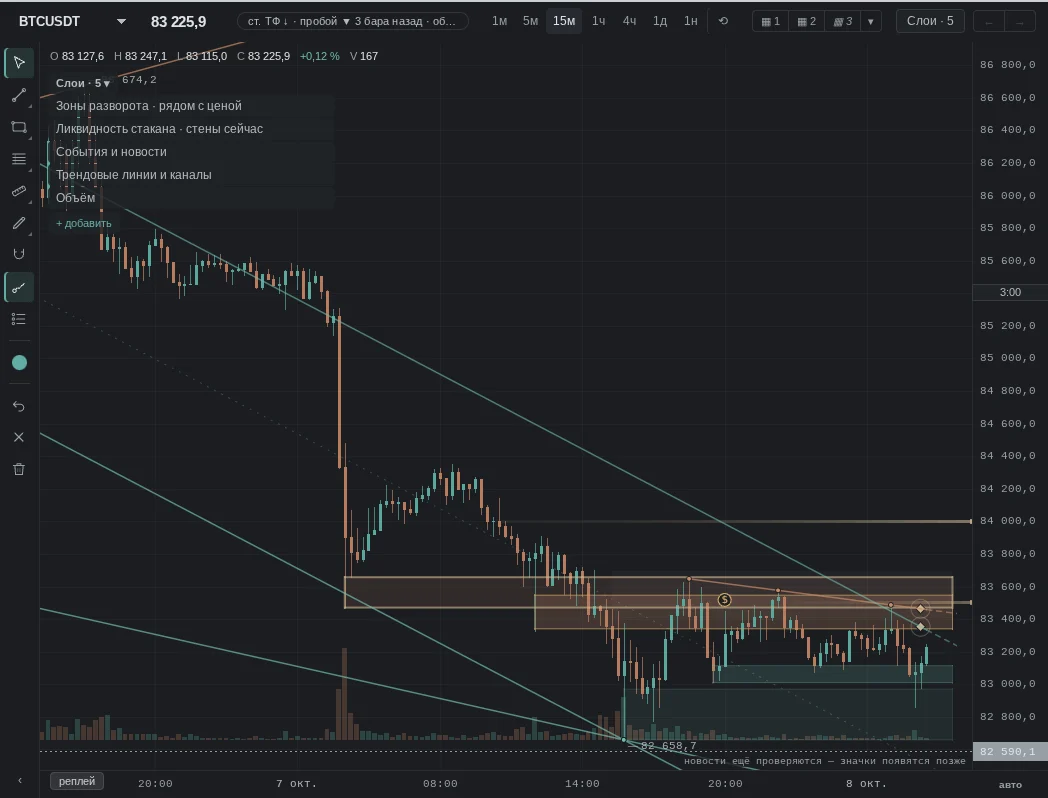
An intersection on the chart is the place where a trendline (or its channel border) enters an EVA zone: two supports meet at one price. It is marked on the chart when “Trendlines” are on. The “Intersection” alert notifies you when the price approaches such a place, touches it, breaks through or returns after the breakout — in the terminal, in Telegram and to the phone.
The alert uses the same calculation that draws the mark on the chart and checks the closed candle: the message comes where the mark was on the chart at the close.
How to create it — four clicks
- The bell in the terminal header.
- “New alert”.
- “Intersection”.
- “Create alert”.
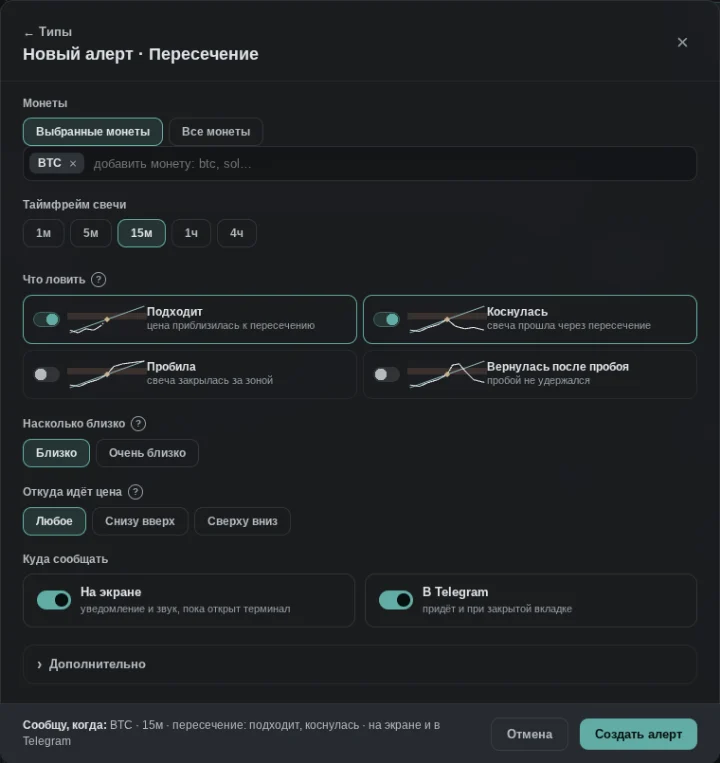
The coin and timeframe come from the open chart; by default the alert catches “approaching” and “touched” and notifies on screen, in Telegram if the bot is connected, and to the phone if notifications are on for this device. The same alert opens from “Market events” via the row “Intersection — a trendline enters an EVA zone”.
What to catch
- Approaching — the price came close to the intersection. “Close” notifies earlier, “very close” — later and less often.
- Touched — a candle passed through the intersection price.
- Broke through — a candle closed beyond the zone on the side opposite to where the price came from. A breakout can break the trendline itself — then the mark is no longer on the chart at the close of the breaking candle, but the message still comes: it was visible while the candle was forming.
- Returned after breakout — the breakout did not hold: soon after it a candle closed back on the original side of the boundary.
Each event comes at most once per intersection. “Where the price comes from”: “upward” — towards the intersection as resistance, “downward” — as support, “any” — both. “Extra” holds Telegram frequency, quiet hours and your own name.
What the message says
For example: “BTC · 1h · the price approached the trendline–zone crossing 82,400–82,650”, below — the point price, the candle close and the bar time in Moscow time. The “Show on chart” button opens, in replay with trendlines on, the moment when the intersection was last on the chart: for touch and approach — the event candle, for a breakout — one candle earlier.
“Where on the chart” in Clusters and Imbalance series
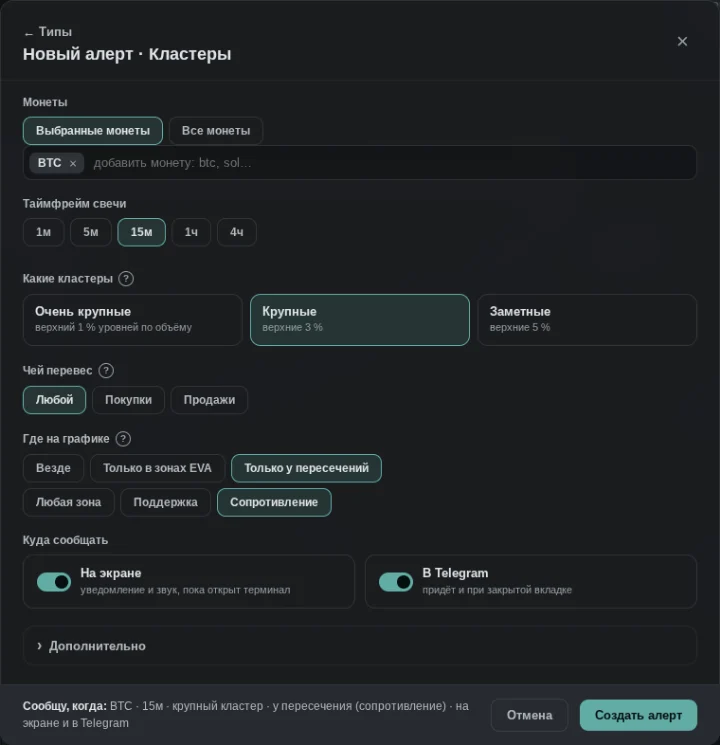
The “Clusters” and “Imbalance series” forms have a “Where on the chart” field: “anywhere”, “only inside EVA zones” or “only at intersections”, plus the zone type — any, support or resistance. “Inside EVA zones” — a cluster or series inside a zone shown on the chart; “at intersections” — near the intersection price. Zones and intersections are the same as on the chart when the candle closes.
When it does not work
- Trendlines are recalculated with every candle: a stronger line can replace one, and the intersection disappears — the alert stays silent about what is no longer on the chart.
- An intersection is not a signal: it is a place where two supports meet; it does not say what the price will do there.
- On the live chart the intersection window is one candle ahead of the moment of close — “Show on chart” shows the point the message was about.
See also
- Trendlines and Reversal zones — they make up an intersection.
- Clusters — large volume at an intersection.