Volume Profile: POC, VAH, VAL
What it is
The volume profile shows how much was traded at each price over a period. POC is the price with the highest volume; the value area (between VAL and VAH) is the range where most of the volume traded. Previous day levels are these three prices calculated from the previous day and extended into today.
More: how we calculate it
- Previous day levels are calculated from Bybit candles: the volume of the previous UTC day is distributed across prices. POC is the price with the highest volume, the value area is 70% of volume around the POC; VAH and VAL are its edges.
- Days are UTC (from 03:00 Moscow time). On timeframes from 1d, weeks are used. Previous week and month levels are calculated the same way.
- The "Volume Profile (visible range)" layer is built from trades on all venues; if there are no trades for this stretch, it uses an estimate from bars (this is labeled). The value area is the same 70%.
- Snapshots below: previous day levels: POC, VAH, VAL.
What it looks like in EVA
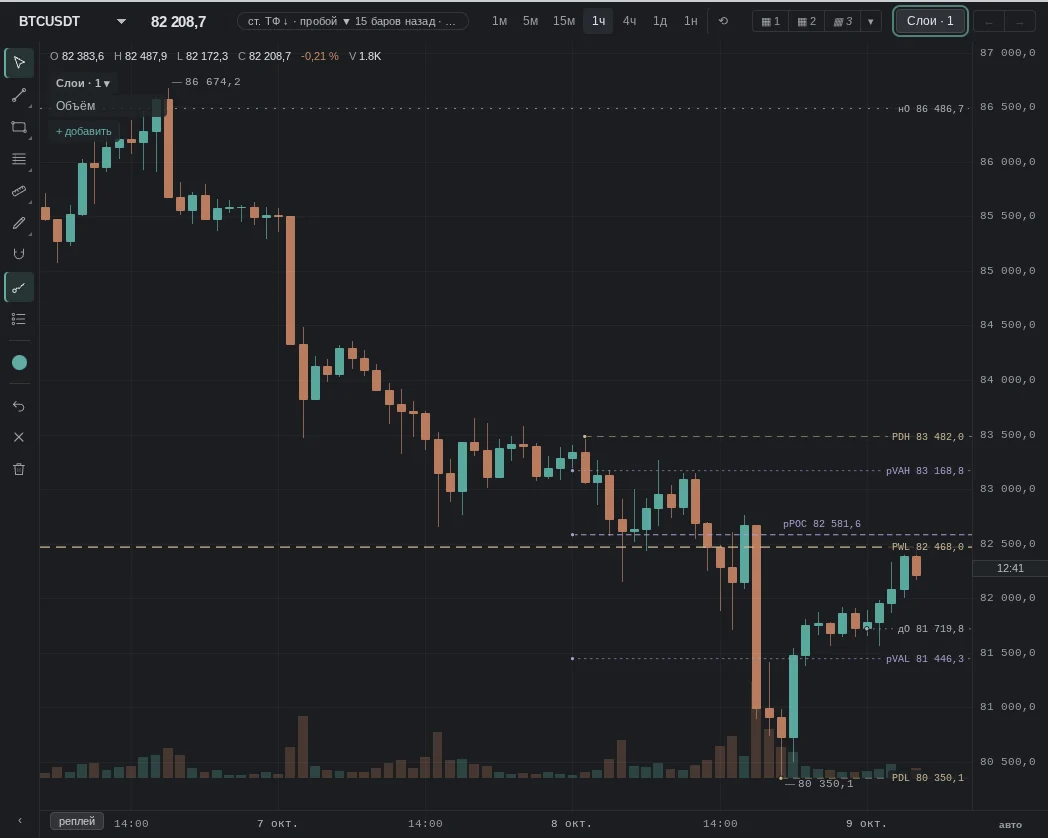
How it is read
Typical patterns: how traders read them and use them, and for each one a real moment from our history where it played out as a "textbook case". Moments where the same pattern failed are below, in "When it does not work".
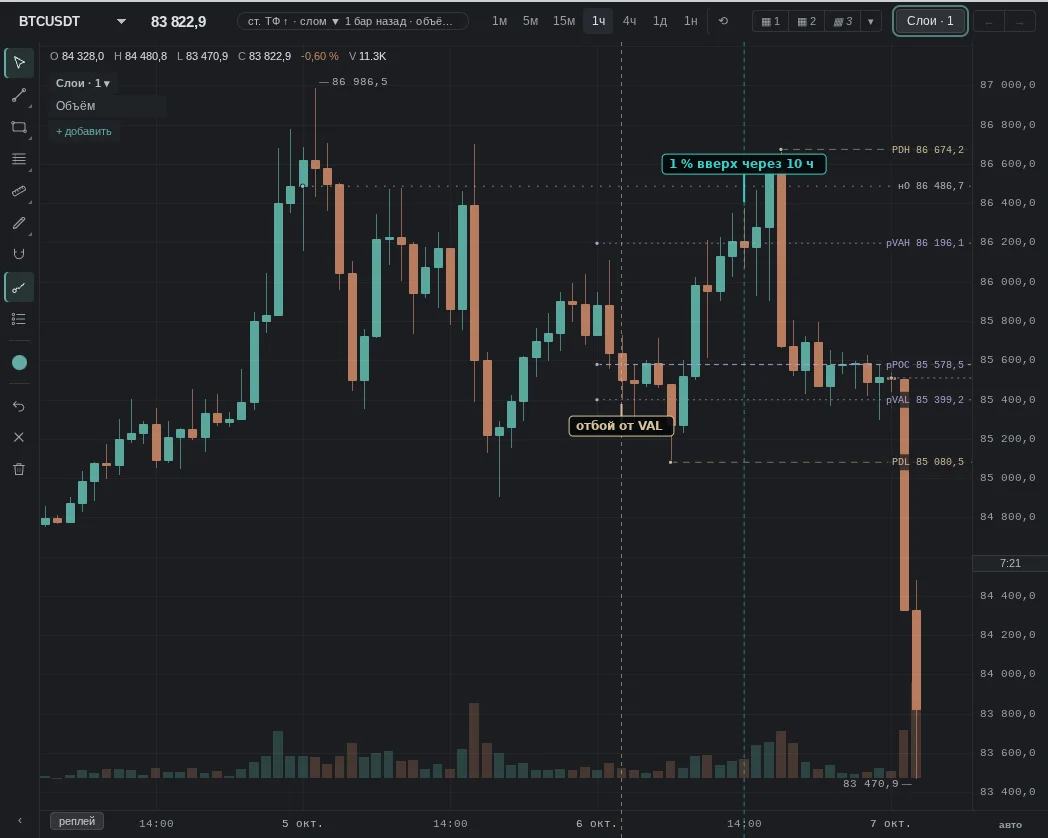
1. Price touched the previous day VAL and closed above
How it is read: the lower edge of the value area held: traders were active there yesterday. Many look for a long from VAL with a stop below it.
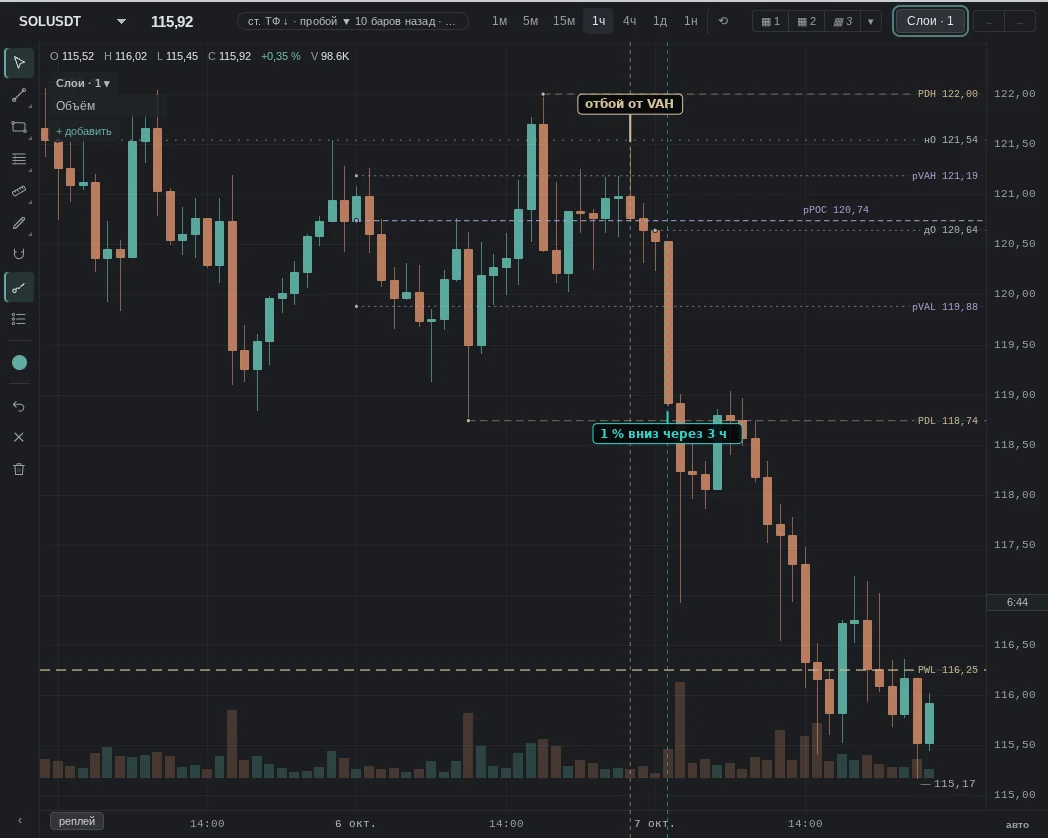
2. Price touched the previous day VAH and closed below
How it is read: the upper edge held the rally. Many look for a short from VAH or take profit on longs.
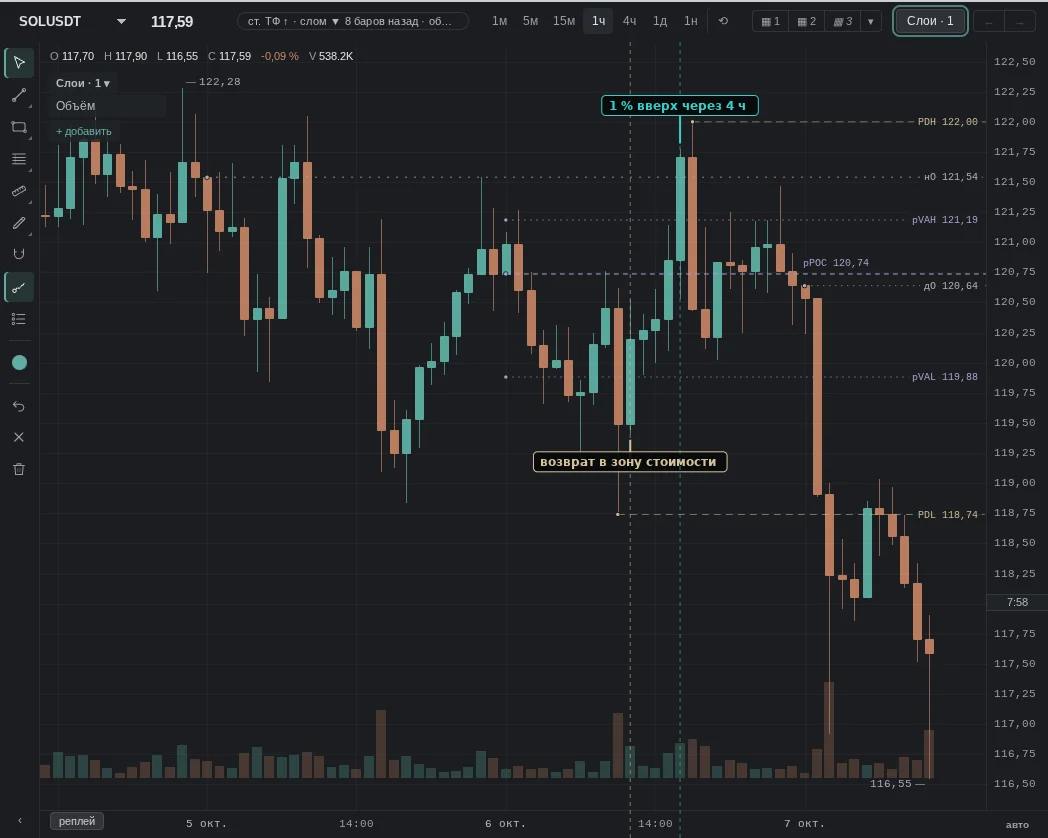
3. Price returned to the value area
How it is read: the break out of the area was not accepted, and the price came back inside. It is read as a "move to the POC": many expect a move toward the middle of the profile.
When it does not work
No pattern works every time: levels explain where trading was more active yesterday better than they tell what the price will do today.
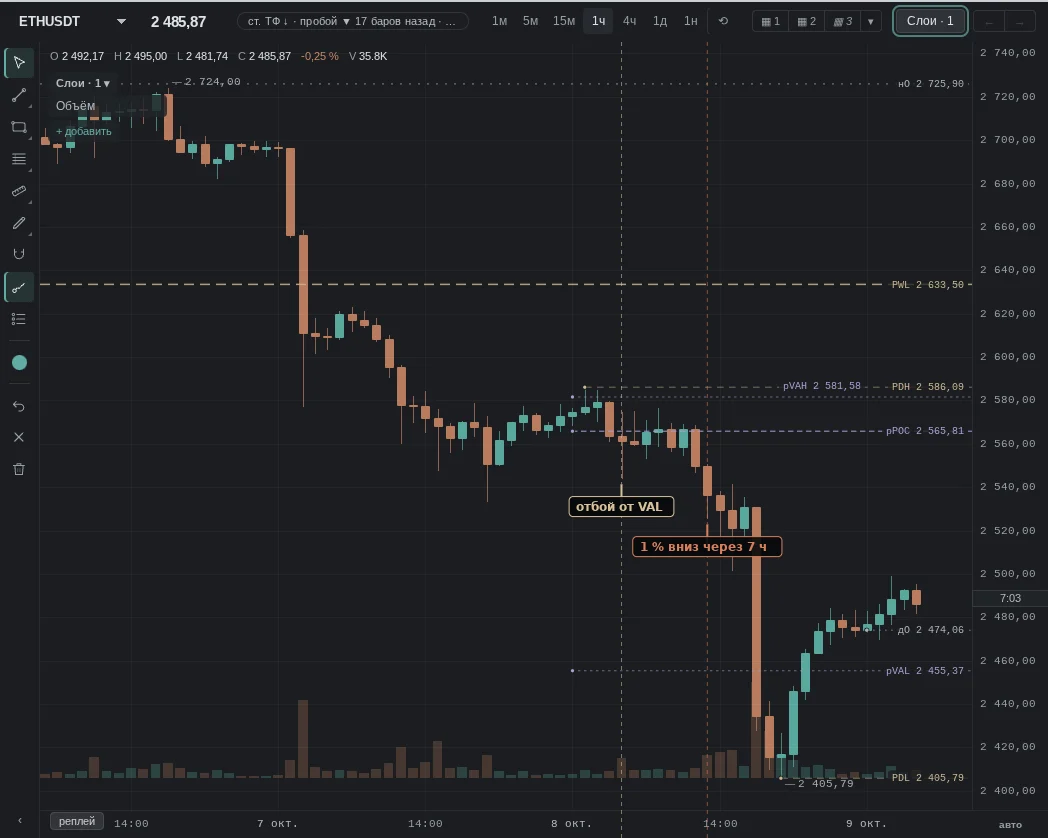
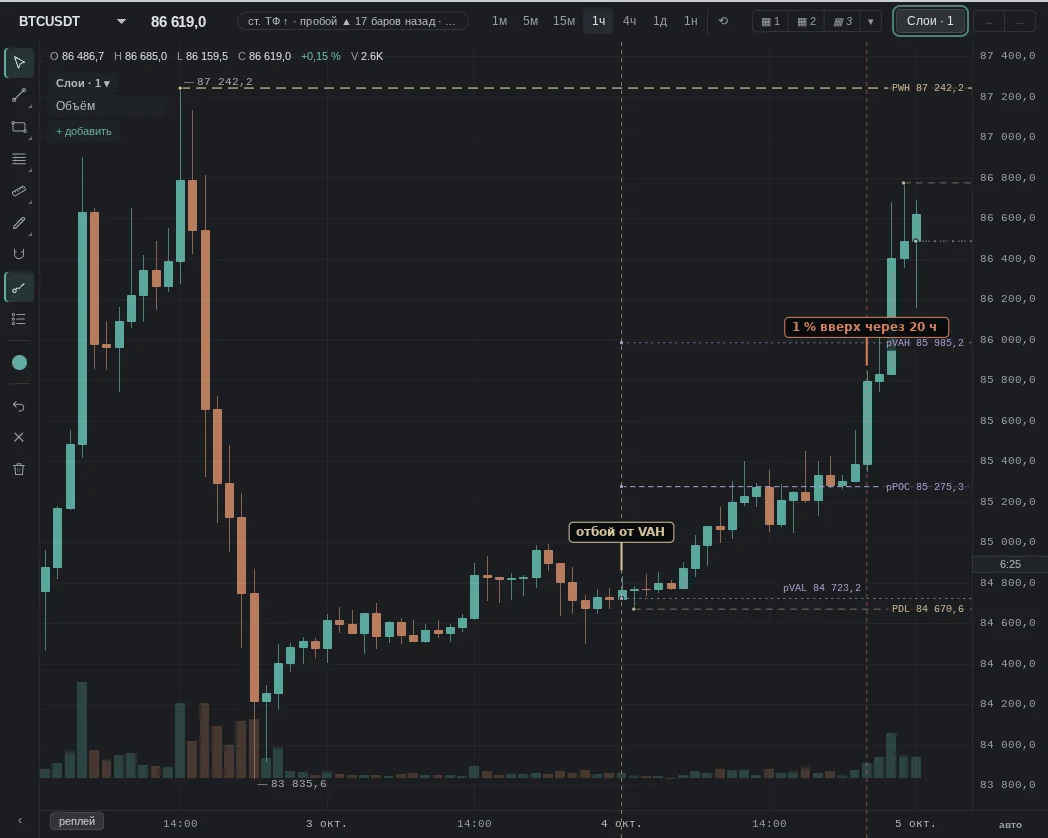
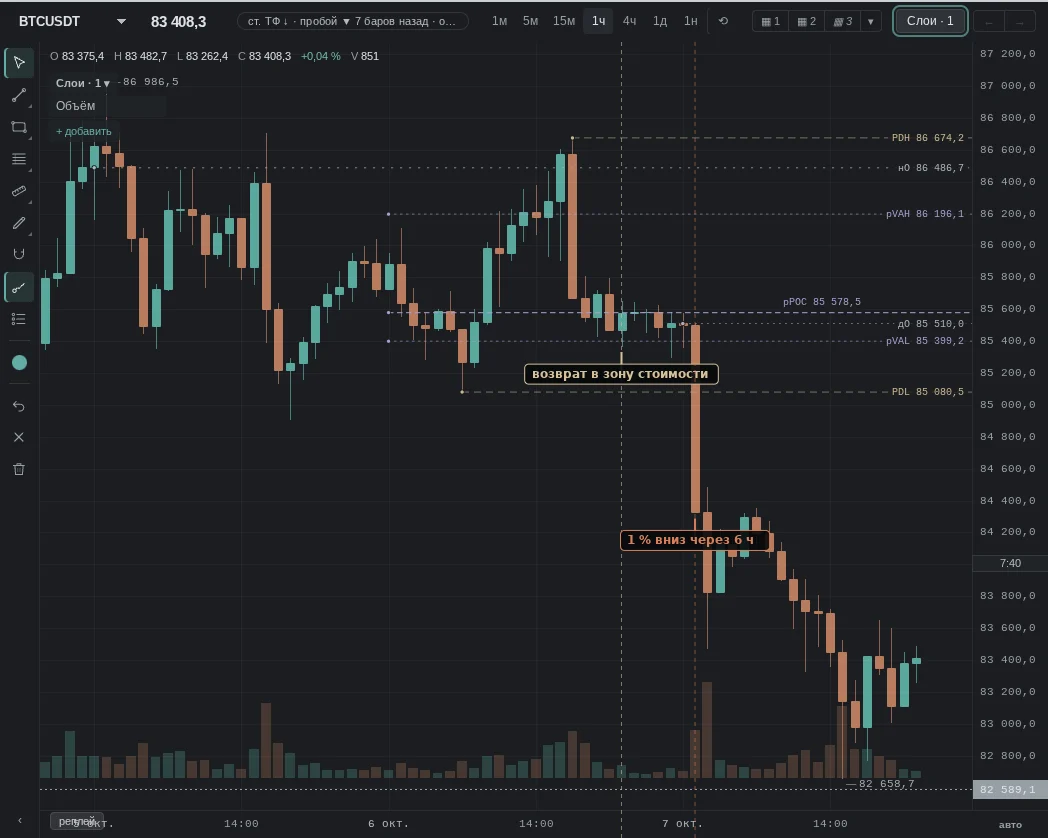
The same patterns — moments from our history where they failed.
Common traps
- Day boundary: previous day levels are calculated by UTC days; for a Moscow day that is 03:00.
- Trend: in a strong move the price passes through previous day levels without noticing them.
- Thin profile: on weekends and quiet days volume is low, and the levels land "wherever".
- A touch is not a bounce: what matters is where the candle closed, not that a wick reached the level.
See also
- VWAP: the average price of the day next to the levels.
- Clusters: whether there was volume right at the level today.
- Order Book: whether there are orders at the level right now.
- CVD: who was hitting the market at the level.
In the terminal: Volume, volume profile and TPO
Volume — bars under the candles.
Volume profile (visible range) — where the most trading happened on screen; recalculated every frame while you scroll and zoom. Where per-bar clusters exist it is built from trades (in two colours: buys and sells), otherwise it is an estimate from the candle ranges, and it says so. The "by sides" view — sells on the left, buys on the right, plus imbalances (3:1 on the diagonal).
Ready periods — day, week, Tokyo, London and New York sessions — are in the profile menu (also in the settings of the Volume row in Layers). They are layers: every such period on screen gets its profile, a click on the chart does not select them and they do not get in the way of drawing. An enabled period is marked.
"Draw with the mouse" is the only profile drawing. The Layers panel closes, the cursor turns into a crosshair, a hint "select a range" appears. While you drag, a live profile shows inside the frame; after release the borders snap to bars and the range is selected: pull the edges by the handles, delete it with the bin on the properties panel or the Delete key. The range is selected only by its frame and handles. Esc cancels.
Session profile — every session gets its own profile with the POC (price of the largest volume) and the value area (70%). The TPO mode is a time profile: the session is cut into half-hours (letters A, B, C…). A cell is one half-hour wide and one price step tall, so the profile stretches and shrinks with the chart. Cell colour: the half-hour went up — green, down — red; outside the value area — grey; the POC row is a light strip across the whole profile. Letters show when a cell is larger than 10 px, otherwise blocks. Settings: view (blocks / letters), layout (collapsed — letters pushed left; expanded — each letter in the column of its half-hour), colour (up/down or by period), price step (0 — automatic, a row of 12–20 px), sessions (UTC day; Asia, Europe, US; every N hours; custom hours; composite for the window), "extend untested POC", "POC path" — a step line showing where the POC was during the session from data available at the time (TPO — by half-hours, volume — by bars; the last step is the final POC). The POC, VAH and VAL lines span their own session, price labels sit at the left edge of the profile. TPO is built on timeframes up to 30 minutes. All profiles share one look.
On the phone
Volume — bars under the candles.
Volume profile (visible range) — where the most trading happened on screen; recalculated while you scroll and zoom. Where per-bar clusters exist it is built from trades (in two colours: buys and sells), otherwise it is an estimate from the candle ranges, and it says so. The “by sides” view — sells on the left, buys on the right, plus imbalances (3:1 on the diagonal).
Ready periods — day, week, Tokyo, London and New York sessions — are in the settings of the Volume row in Layers. They are layers: every such period on screen gets its profile, a tap on the chart does not select them and they do not get in the way of drawing.
“Draw with a finger” — a profile drawing: in the settings of the Volume row in Layers choose “Draw with a finger” and run a finger over the range; while you drag, a live profile shows inside the frame. After release the borders snap to bars: pull the edges by the handles, delete it with the bin on the properties panel. Cancel — ✕ in the drawing row.
Session profile — every session gets its own profile with the POC (price of the largest volume) and the value area (70%). The TPO mode is a time profile: the session is cut into half-hours (letters A, B, C…); letters show when a cell is larger than 10 px, otherwise blocks. The settings are the same as on the desktop (view, layout, colour, price step, sessions, “extend untested POC”, “POC path”). TPO is built on timeframes up to 30 minutes.